Why a Hetzner Server Stayed Offline After LUKS Unlock
How to separate a successful disk unlock from the network failure that can follow it.
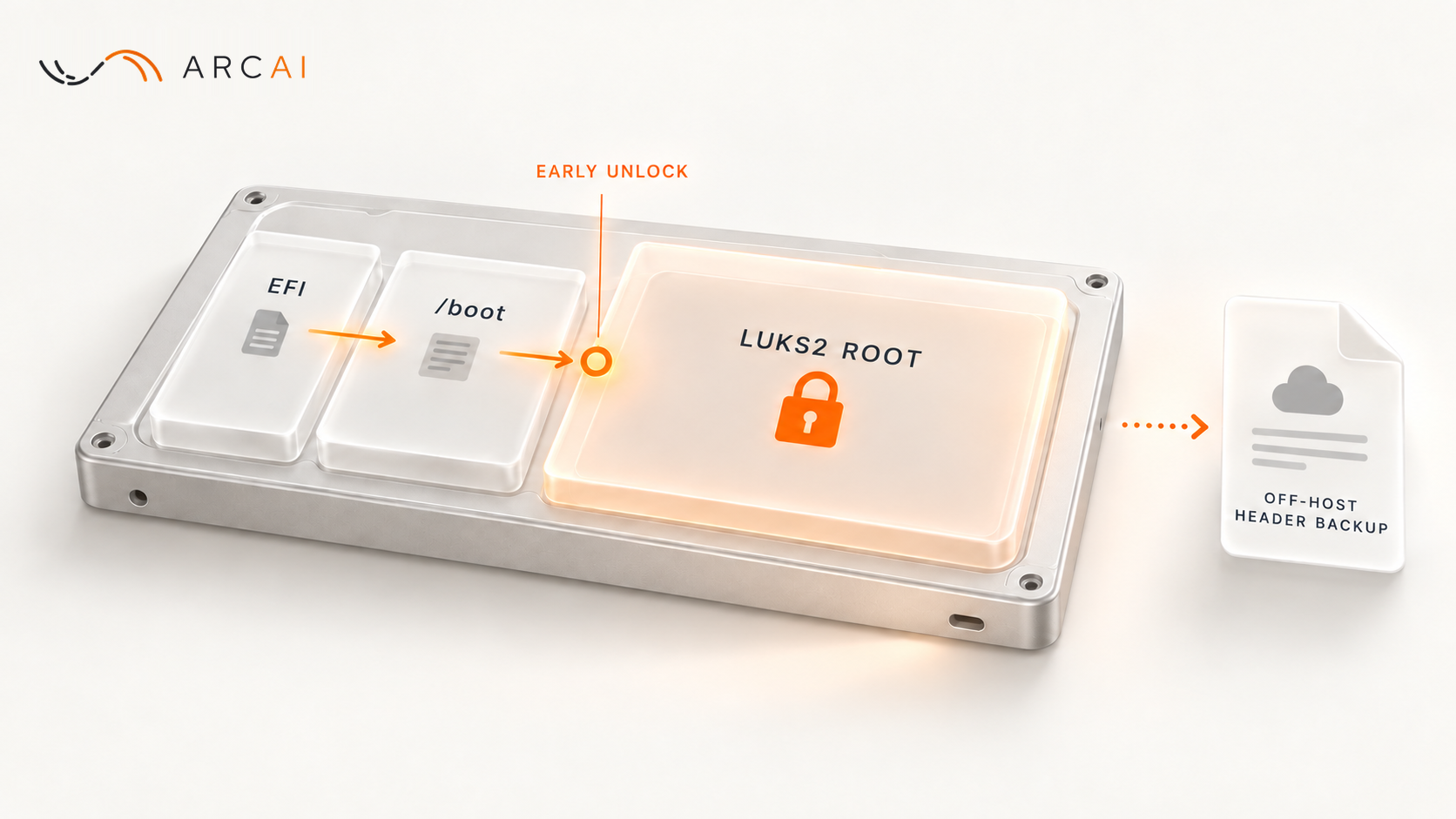
The remote unlock succeeded. The passphrase opened the LUKS2 root filesystem and Ubuntu started, yet the usual SSH connection to the server timed out. The failure was not the disk encryption. Network settings created for the early unlock environment survived into the normal system, where they no longer matched the network interface's name.
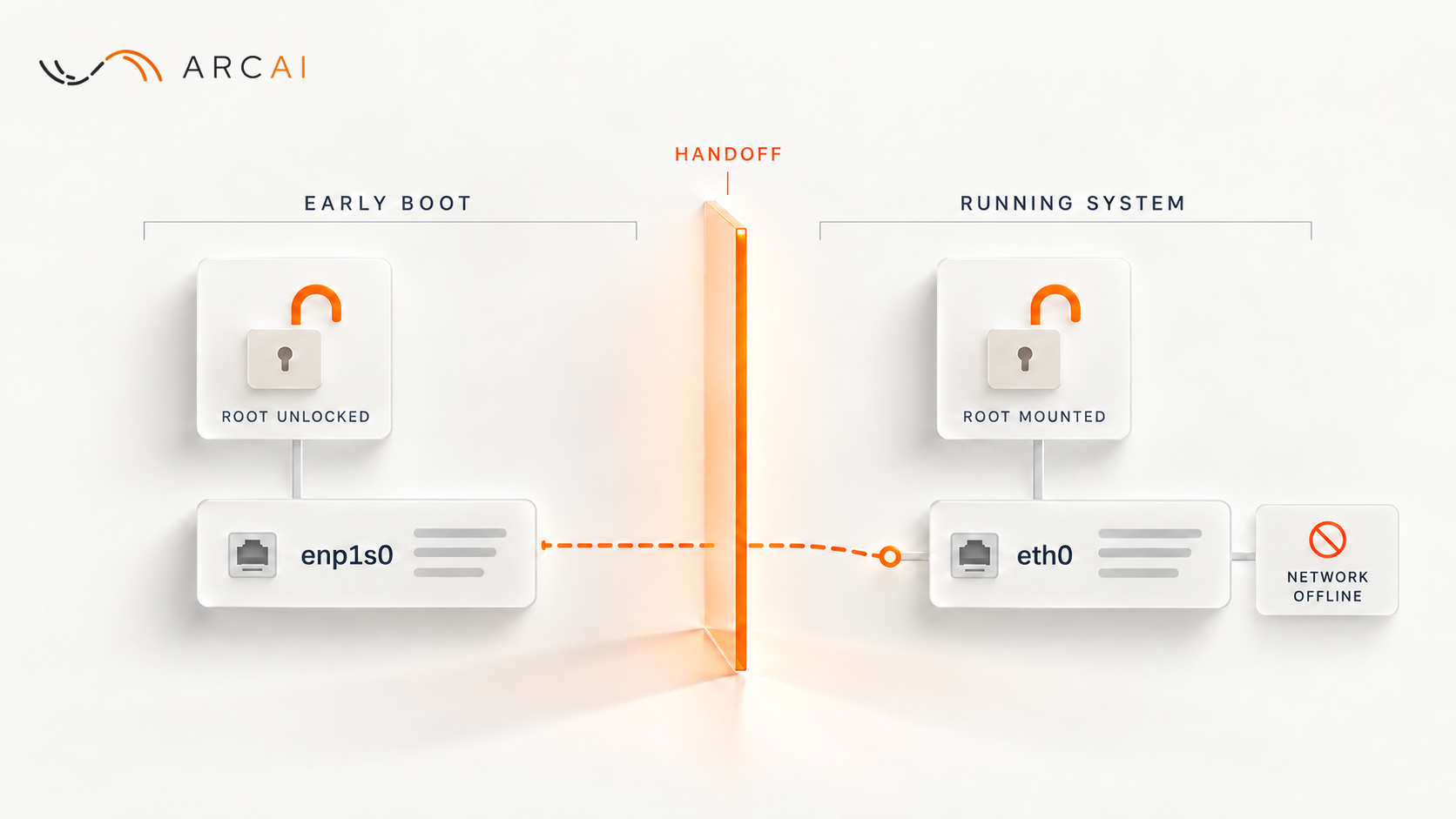
On this Hetzner Cloud server, running Ubuntu 26.04, early boot gave the network card its predictable name, enp1s0 (the name udev, the Linux device manager, gives it from where the card sits on the bus), and configured it with DHCP so the disk could be unlocked remotely. The server's normal network configuration matched the same card by its MAC address and renamed it eth0. Settings left over from early boot then led cloud-init, the service that applies cloud instance settings at boot, to write configuration for enp1s0, a name the running system no longer used, so Ubuntu had no usable network. The server failed this way on two boots before we found the cause. Its normal configuration had worked before the encryption work; the early DHCP added for remote unlock is what created the leftover state. We repaired it from Hetzner's rescue system and verified both unlock and network access after reboot. This was host preparation before application deployment, so it does not establish application or data recovery.
An accepted passphrase is one checkpoint
This server had two networking stages. Before the encrypted root was available, the initramfs, the small temporary system that the bootloader loads with the kernel, brought up a minimal network with DHCP (the ip=dhcp kernel parameter, set through GRUB_CMDLINE_LINUX in /etc/default/grub) and started a Dropbear SSH service so an operator could provide the LUKS passphrase. After root opened, Ubuntu started its normal network configuration and ordinary SSH service. The handover is the moment between the two, when the initramfs passes control to the normal system on the unlocked root. Ubuntu's Dropbear initramfs guide for 26.04 (codename resolute, as in the source links that follow) describes the early stage: you unlock the root filesystem by logging in over SSH while the booting system is still running from the initramfs.
The stages can fail independently. Reaching Dropbear shows that the early unlock path was reachable. An accepted passphrase shows that the encrypted root could open. Neither proves that Ubuntu configured its own address, route, firewall, or SSH service. Conversely, an outside SSH timeout after unlock does not prove the server is still waiting for a passphrase.
That distinction changes the investigation. First establish the last stage that worked. If the unlock connection never appeared, examine early boot and its access path. If unlock completed but ordinary SSH did not return, use the provider console or another management path you have tested to inspect the running system. Do not rotate encryption keys to fix a network symptom.
The network setting that crossed the boundary
In the recorded failure, early boot left two files under /run: /run/net-enp1s0.conf, the record of the DHCP result, and /run/netplan/enp1s0.yaml, a network configuration file for that name. Ubuntu's initramfs-tools writes the second from the first: its network setup function calls netinfo_to_netplan /run/netplan, which reads /run/net-*.conf and /run/net6-*.conf records (the second kind is for IPv6). Its init script then moves /run into the real root at the handover, so the files survive. The Dropbear guide says network interfaces are brought down by default once the root filesystem is mounted: the card reaches the normal system without its early address, while the files that describe it are still there.
Netplan is the tool Ubuntu uses to turn YAML network files into the active configuration. Its introduction says that during early boot it reads files under /run/netplan as well as /etc/netplan and writes the configuration that the network service, systemd-networkd by default, uses, and that devices not covered by the network configuration do not get touched at all. The eth0 name came from the server's normal file, /etc/netplan/50-cloud-init.yaml, which matched the card by MAC address and renamed it. Netplan's YAML reference describes set-name for exactly this: giving a device matched by a unique property, such as its MAC address, a name of your choosing. The rename comes from what Netplan reads at the start of each boot. We had restored that file before the second failed boot, so its journal still showed eth0: renamed from enp1s0; cloud-init overwrote the file about a second later in the same boot.
Cloud-init also chooses a network configuration source at boot. Its sources include a datasource, the provider-specific source of instance settings, and system config, the files under /etc/cloud/cloud.cfg.d/, which its log calls system_cfg. Its network configuration page documents the system config setting that disables its network management, network: {config: disabled}. That page's short list of sources does not mention the initramfs; the code does. In cloud-init 26.1, the release Ubuntu 26.04 shipped with, the default source order is kernel command line, initramfs, system config, then datasource, and the selection loop stops at the first source that has a configuration or disables networking. The initramfs source reads the /run/net-*.conf records, and it applies only when those files exist and an ip= parameter is on the kernel command line. The kernel command line source itself looks only for a network-config= parameter, so ip=dhcp alone does not trigger it. cloud-init --version shows the version on your server.
That explains why our first fix failed. After the first failed boot, working from the rescue system, we added the disable setting and restored the normal Netplan file. Restoring the file only put back the configuration cloud-init would overwrite, so the second boot failed the same way: while /run/net-enp1s0.conf existed, cloud-init used it and never reached the disable setting, and it overwrote 50-cloud-init.yaml again, this time with only enp1s0 and DHCP (no MAC match, no new name, no IPv6). On both failed boots, /var/log/cloud-init.log showed which source won, in a line that begins:
Applying network configuration from initramfsand continues with the configuration itself. After the repair, the same log said:
network config is disabled by system_cfgBoth are cloud-init's own messages: the line for an applied source and the line for disabled networking. You can search for either on a server running this version.
The failure path, then: the card arrived in the normal system without an address and was renamed eth0 by the MAC-matched configuration; cloud-init used the early record, ahead of the disable setting once we had added one, and rewrote 50-cloud-init.yaml for enp1s0; and the leftover /run/netplan/enp1s0.yaml added another definition for a name that no longer existed. Nothing configured eth0. That name pair is evidence from this server, not a pair to copy into another configuration.
Check the running system before changing its network
The most useful first report is a short timeline: Did the early unlock service appear? Was the passphrase accepted? Did the provider console show Ubuntu running? Did ordinary SSH ever return? A timeout only answers the last question.
If Ubuntu is running and you can log in at the console, these read-only commands separate storage state from network state. Console access needs a working local login, so confirm you have one before you depend on it. Run the commands as root:
findmnt -no SOURCE,FSTYPE /
ip -br address
ip route
ip -6 route
ls /run/net-*.conf /run/netplan/
grep -E 'Applying network configuration from|network config is disabled by' /var/log/cloud-init.log | tail -3
The first shows the mounted root source. A device such as /dev/mapper/cryptroot means root came from an unlocked LUKS mapping; cryptroot is the name set in /etc/crypttab, and the cryptsetup status manual documents cryptsetup status cryptroot for confirming the mapping and its type. The ip commands show which interface names exist and whether the running system has local IPv4 and IPv6 configuration. The ls command shows whether early boot files survived the handover; on a healthy boot of this server it reports that neither exists. The last command shows which network source cloud-init used on recent boots. A local route is useful evidence, but it does not prove the path from your workstation to the server works.
Without a console login, boot Hetzner's rescue system, open the LUKS root with cryptsetup open, and mount it. /run there belongs to the rescue system, so the ls check does not apply, but the evidence on disk does: the root's /var/log/cloud-init.log, its /etc/netplan/ files, and, if the journal is persistent, the previous boot's journal under /var/log/journal. That is how we read the second failed boot.
Next compare the active interface name with the names in /run/netplan/ and /etc/netplan/. In this case, the from initramfs log line, the leftover files, and the enp1s0 versus eth0 difference together explained the outage. Any one of those clues alone would have been weaker: a file may be present without being selected, and a timeout can also come from SSH or access rules.
If the address and route are correct but SSH still times out, check the ordinary SSH service and its access controls. If SSH works but the application does not, move to application startup. In both cases the disk unlock already worked and needs no repair.
If someone else runs the server, give them the unlock result, the time of the SSH timeout, and the output of these commands. The output contains IP addresses, and the cloud-init line contains the MAC address, so share it only with whoever operates the server; it holds no customer data.
Why this repair had three parts
We made three changes, each for a different reason. With no network on the running system, we made them from Hetzner's rescue system: we opened the LUKS root with cryptsetup open, mounted it, mounted its separate /boot and EFI partitions inside it, bind-mounted /dev, /proc and /sys, and entered it with chroot. Every change, and the image rebuild described in the last section, ran inside that chroot, against the installed system.
1. Remove the early network files at the handover
This script, saved as an executable file (chmod 755) such as /etc/initramfs-tools/scripts/init-bottom/zz-drop-initramfs-net, deletes the early records and the generated Netplan directory:
#!/bin/sh
PREREQ="dropbear"
prereqs() { echo "$PREREQ"; }
case "$1" in prereqs) prereqs; exit 0 ;; esac
rm -f /run/net-*.conf /run/net6-*.conf
rm -rf /run/netplan
exit 0
Ubuntu's initramfs-tools manual says init-bottom scripts are the last to run before execution passes to the real root. The PREREQ line follows the ordering header that manual describes and names Dropbear's own init-bottom script, so the cleanup runs after Dropbear has finished with the early network. The name must match the script in the image, scripts/init-bottom/dropbear on this server. After the rebuild, the image's scripts/init-bottom/ORDER file listed the cleanup after dropbear, which is the check that matters; the last section shows how to read it.
2. Keep cloud-init's network management disabled
The setting is a file under /etc/cloud/cloud.cfg.d/ (ours was 99-disable-network-config.cfg) containing network: {config: disabled}. It was our first fix, added after the first failed boot, and alone it changed nothing: the initramfs source outranked it. With the early files gone, cloud-init reaches it and leaves the network alone. We did not test whether step 1 alone is enough on a server without this setting. The cost: if Hetzner changes the server's addresses, someone must edit the Netplan file by hand.
3. Restore the original Netplan configuration
/etc/netplan/50-cloud-init.yaml was rewritten by hand with the content it had before the encryption work, as in the first fix: it matches the card by MAC address, names it eth0, uses DHCP for IPv4, and keeps the server's static IPv6 address and route. Another server must use its own verified name, match rule, and address plan.
This is an explanation of the recorded repair, not a universal instruction to delete files or disable cloud-init. A different server may use another network manager, interface naming policy, or cloud-init datasource. The correct change follows the source and interface evidence.
Verify the complete reboot, including the next boot image
A script on disk does nothing until it is inside the boot image. Rebuild the image with update-initramfs -u -k all, as the Dropbear guide also says after any configuration change. Then list the image with lsinitramfs, which the Ubuntu lsinitramfs manual describes as listing the content of an initramfs image: lsinitramfs /boot/initrd.img-KERNEL_VERSION | grep init-bottom must show both dropbear and the cleanup script, where KERNEL_VERSION is the installed kernel's version. To check their order, unpack the image with unmkinitramfs, which the Ubuntu unmkinitramfs manual describes, and read scripts/init-bottom/ORDER: the cleanup must come after dropbear.
After these changes, a reboot reached the early unlock service, opened the LUKS2 root, and returned the normal network. eth0 was routable on IPv4 and IPv6, ordinary SSH worked from the one host the Hetzner Cloud Firewall allows, and password authentication remained disabled. /run/net-*.conf and /run/netplan were absent, and the cloud-init log said network config is disabled by system_cfg.
We repeated the reboot after package updates rebuilt initramfs. That mattered because a fix in an early boot script must be present in the boot image the server actually loads later. The second test again established the unlock and normal network path under those conditions. It does not guarantee every future update or prove an application can recover after an outage.
For any encrypted remote server, record two results separately: root unlocked and normal service restored. The gap between them is where this fault lived. Checking the handover kept us from treating a network configuration error as a failed encryption system.