Before You Encrypt an Existing Hetzner Cloud Root Disk with LUKS2
The boot path, partition space, and recovery checks to settle before you convert the Ubuntu root.
An existing Hetzner Cloud server can have its Ubuntu root partition converted to LUKS2 without reinstalling, but success is more than a completed cryptsetup command. Three things decide whether the server still works afterwards, and each must be settled before the first partition changes: the filesystem must fit after LUKS takes its space, the machine must load a small unlock environment before it can read root, and someone must be able to recover and reboot it.
We did this on one Arm64 Hetzner Cloud server running Ubuntu 26.04 with UEFI boot and an ext4 root filesystem. After conversion and reboot, root mounted from a LUKS2 mapping: the unlocked device that cryptsetup creates under /dev/mapper/, which holds the readable filesystem. A separate plain /boot remained available. The LUKS header, the metadata block at the start of the encrypted partition, held two keyslots, each storing one secret that can unlock the disk: the operator's passphrase and a recovery key. A later reboot after updates also succeeded. The server held no application data during the conversion. That result is evidence for this case, not proof that the same partition edits are safe for another server or a live-data migration.
Here, root disk means the server's existing system disk and its root partition. An attached Hetzner Cloud Volume is a different storage target and needs its own plan.
Why the boot path decides the layout
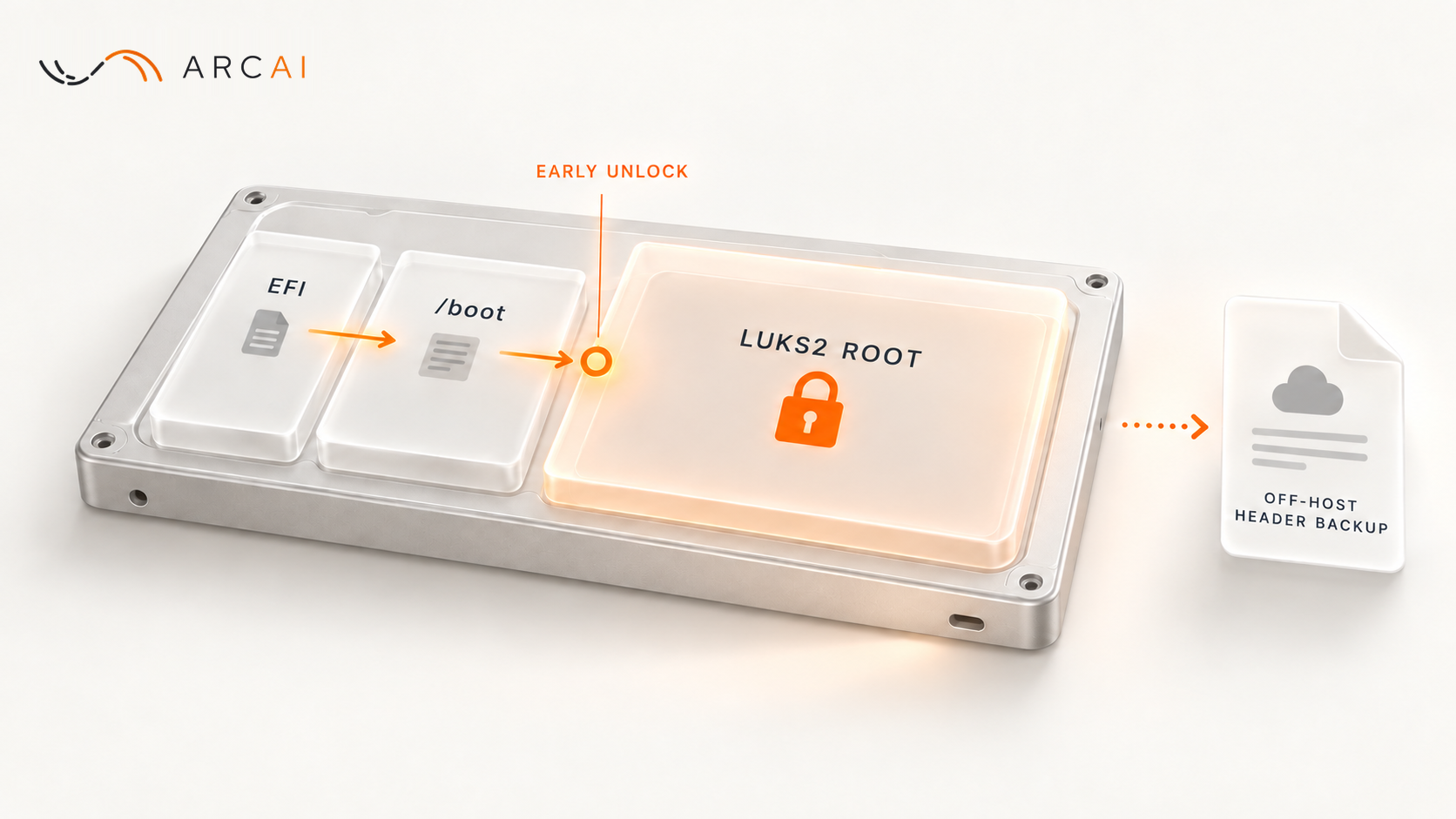
A locked root cannot supply the tools that unlock itself. In this setup, UEFI reads the EFI system partition, the bootloader loads the kernel and initramfs from a separate /boot, and the initramfs opens the LUKS2 root before normal Linux starts. The initramfs is the small temporary system that the bootloader loads with the kernel; it carries the tools that unlock root. The resulting layout, in the order the machine uses it during boot (on disk, the new /boot can sit after root), is:
- EFI system partition: firmware boot files, outside LUKS.
- Plain
/boot: kernel and initramfs, outside LUKS. - LUKS2 root partition: ext4 lives inside the unlocked mapping.
This is root encryption at rest, not encryption of every byte on the disk. The EFI and /boot files remain readable and potentially modifiable by someone with disk access. The Debian cryptsetup team's encrypted-boot guide says "full disk encryption" is often a misnomer because a separate plaintext /boot is typical: not every bootloader can unlock LUKS, so a plain /boot is the layout that works with all of them. The guide itself covers a different design, in which GRUB unlocks an encrypted /boot. This case did not need that: the unlock happens in the initramfs, which the bootloader reads from the plain /boot, so the bootloader never has to open LUKS.
That distinction also sets the security claim. Encryption protects data on the locked root while it is at rest. It does not retroactively encrypt older plaintext backups or snapshots, and it does not hide data from a running system after root has been unlocked.
Check the starting machine before touching partitions
First identify what is actually mounted and how the machine boots. These commands inspect the current layout without changing it:
lsblk -o NAME,SIZE,TYPE,FSTYPE,MOUNTPOINTS
findmnt -no SOURCE,FSTYPE /
findmnt -no SOURCE,FSTYPE /boot
test -d /sys/firmware/efi && echo UEFI || echo BIOS
grep PRETTY_NAME /etc/os-release
Write down the disk, root partition, filesystem type, EFI partition, and whether /boot is already separate; if it isn't, the third command prints nothing. The fourth command reports the boot mode: the Debian wiki's UEFI page says that if the directory /sys/firmware/efi exists, the system is running in UEFI mode. The last command shows the installed distribution. A device name or sector count copied from another server is not a safe input. If root uses XFS, Btrfs, LVM, a different boot mode, or is already encrypted, the ext4 partition sequence that follows does not apply as written.
Also settle the recovery choice before doing any disk work. You need a tested backup of data and configuration that can be restored independently of the disk being edited. The cryptsetup reencryption manual tells you, in capitals, to be sure you have a reliable backup before using it. Hetzner's rescue backup guidance describes copying data from rescue and taking a snapshot or enabling backups to store a copy of the full disk. A snapshot made before conversion can still contain plaintext, so its retention is a separate decision.
The case server had no application data yet. If yours does, a successful conversion in this case says nothing about your restore time, consistency, or acceptable downtime. A backup that has never been restored is an untested recovery path.
Make room for both /boot and LUKS
There are two space decisions, and confusing them can destroy the filesystem. A new plain /boot needs its own partition outside root. LUKS also needs room inside the root partition: the cryptsetup reencryption manual explains that in-place encryption replaces the first part of the partition with the LUKS2 header and shifts the existing data along, so the last part of the partition is lost. Its in-place LUKS2 example uses --reduce-device-size 32m and requires the last 32 MiB of the device to be unused. That is a condition to verify, not a margin to assume.
For an ext4 root, the planning order is to calculate the final partition boundaries, shrink the unmounted filesystem so it fits comfortably inside the space LUKS will leave for data, then shorten its partition while preserving the exact start sector. Do this from rescue, where the server's root partition stays unmounted until you mount it, as Hetzner's backup steps show. The resize2fs manual is explicit: resize2fs does not change partition size, and to shrink, you first shrink the filesystem and only then the partition. Shortening the root partition frees space after its end, and that space can hold the new /boot partition; the case used a 2 GiB /boot. So the filesystem shrink must cover both: the /boot partition outside root and the 32 MiB tail inside it, plus room for partition alignment and a safety margin you choose and write down. For the LUKS tail alone, the case ran e2fsck -f and then shrank ext4 by 64 MiB, twice the 32 MiB requirement.
The recommended sequence is to create and populate the separate /boot while root is still plain, point fstab and the bootloader at it, confirm that its kernel and initramfs are present, and only then run the conversion from Hetzner's rescue environment. The original case reached the same final layout but carved /boot after conversion. In the case, moving /boot meant reinstalling GRUB to the EFI partition and running update-grub. Preparing /boot first is a reasoned simplification, not a second end-to-end procedure we verified on that server.
The conversion itself is an operator step, not a command to paste before checking geometry. The documented form is cryptsetup reencrypt --encrypt --type luks2 --reduce-device-size 32m /dev/ROOT_PARTITION, where ROOT_PARTITION is a placeholder for the verified root partition. If the last 32 MiB still contains filesystem data, the operation can destroy it. The same manual says the process may be safely interrupted with Ctrl+C and continued by running the command again; after a crash or power loss it may need recovery, which runs on the next open or with cryptsetup repair. Once complete, open the LUKS mapping, check ext4 inside it, and only then grow ext4 with resize2fs to use the available mapped space.
Make unlocking work before normal SSH exists
After the disk is encrypted, ordinary SSH cannot start until root opens. An operator can use a provider console at the initramfs prompt, or build an early remote-unlock path. In this case, the early path used Dropbear, a small SSH server that runs inside the initramfs, with a dedicated SSH key; the operator entered the unlock passphrase. Ubuntu's Dropbear initramfs guide for Ubuntu 26.04 describes the separate early SSH service and where its authorized keys live, and says to run update-initramfs -u -k all after configuration changes to make them take effect.
The installed system must point its crypttab entry at the LUKS UUID, not the ext4 UUID inside the unlocked mapping; cryptsetup luksUUID /dev/ROOT_PARTITION prints the LUKS UUID. The entry's first field names the mapping, for example cryptroot, and the crypttab manual explains that cryptsetup creates it at /dev/mapper/ followed by that name. Its fstab must mount the separate /boot. The boot image must actually contain the unlock configuration, the authorized public key for early SSH, network support, and the relevant kernel modules. In the case, these files and the initramfs rebuild were all done from rescue, in a chroot into the opened root.
Inspect the generated initramfs before reboot with lsinitramfs, which the Ubuntu lsinitramfs manual describes as listing the content of an initramfs image. For example, lsinitramfs /boot/initrd.img-KERNEL_VERSION | grep -E 'crypttab|dropbear|authorized_keys', where KERNEL_VERSION is the installed kernel's version, must list all three. Files merely present on the installed root do not prove they reached the boot image.
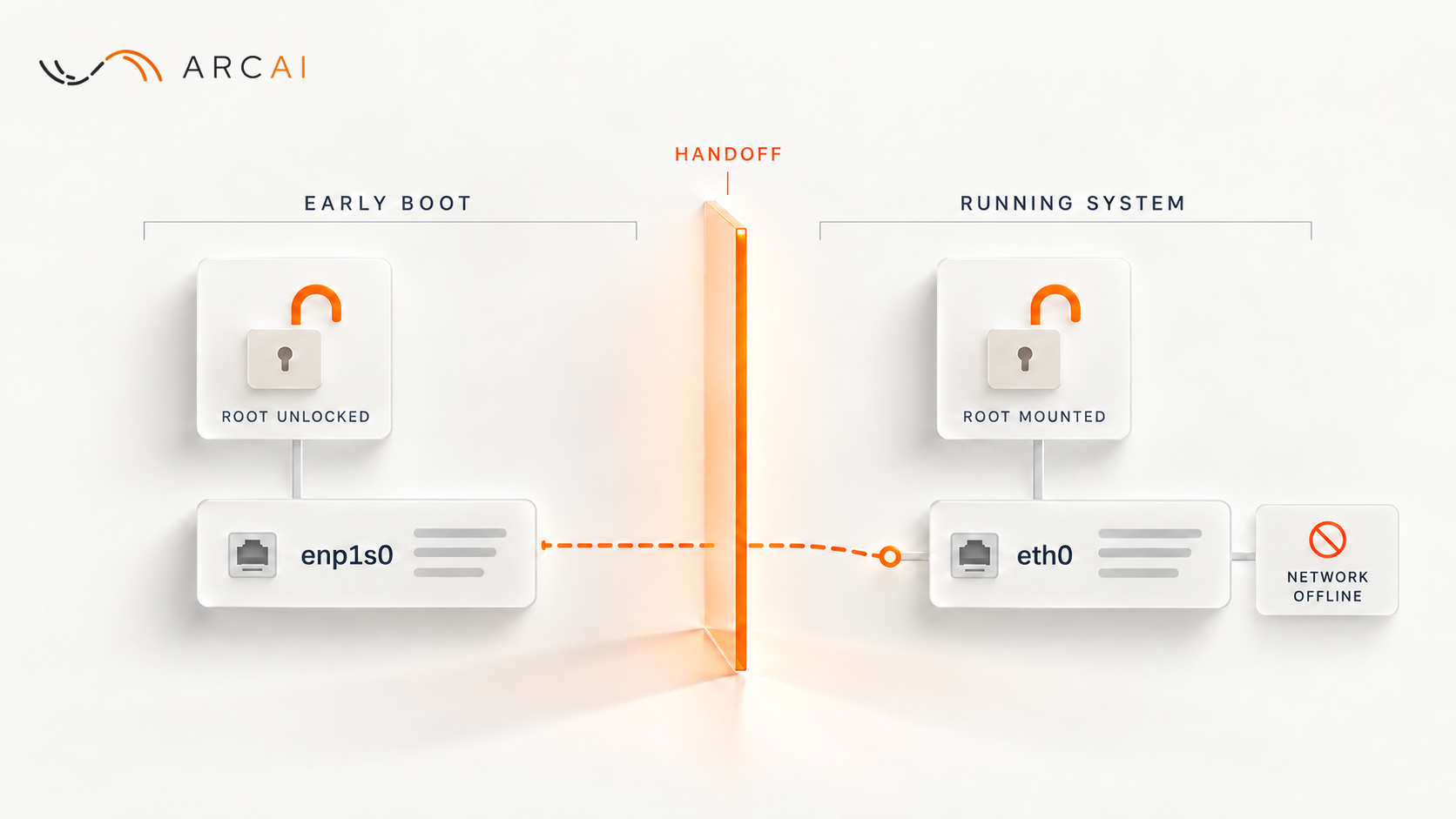
The early SSH service listens before root is open, so a host firewall configured on root, such as ufw, has not loaded yet. Restrict its reachability at the cloud firewall and keep a console fallback. Hetzner's Cloud Firewall FAQ explains that Cloud Firewalls specify the network traffic that is allowed to reach the server. Early network settings can also leak into the running system: during this conversion, settings left behind by the initramfs network broke the server's normal network until they were removed. A successful normal SSH login is therefore not proof that remote unlock will work on the next reboot, or the reverse.
Prove recovery and the first reboot
A second keyslot and a header backup solve different problems. A recovery passphrase or key, added with cryptsetup luksAddKey, gives another way to unlock a healthy LUKS header. A header backup helps if that metadata is damaged. Test each passphrase with cryptsetup open --test-passphrase; the cryptsetup open manual says this verifies a passphrase without activating the device.
Take the header backup after the final keyslot changes, store it off the server, and protect old copies too. The cryptsetup header backup manual explains why: a backup file and a passphrase that was valid when the backup was made can still decrypt the data, even after that passphrase is changed or removed from the device.
The acceptance test is a reboot with someone ready to unlock and recover the machine. After unlock, inspect what actually mounted, replacing cryptroot with the mapping name from your crypttab entry:
findmnt -no SOURCE,FSTYPE /
findmnt -no SOURCE /boot
cryptsetup status cryptroot
swapon --show
Root should come from the expected LUKS mapping, cryptsetup status should report LUKS2, and /boot should come from its separate plain partition. Check swap separately because unencrypted swap would sit outside the protected root. Then test the next planned reboot, including a kernel or initramfs update if that is part of normal operations. Schedule unattended reboots only if an unlock method and recovery owner can handle them.
In our case, root mounted through the LUKS2 mapping after reboot, both keyslots were present, and a later reboot after updates succeeded. We did not establish a backup restore drill or that every future update would boot. The transferable lesson is to design the first reboot before changing the first partition: measure the final layout, prove the early unlock path, and keep a recovery route that does not depend on the disk you are converting.